My personal agent ordered my lunch
The day after a half marathon, I told Jarvis to order food. Two minutes later, lunch was placed. Here is how goal-aware agents work, where the automation slipped, and why checkout still needs a human.
The day after running the Santa Cruz Half Marathon (13.1 miles, sore legs, sore shoulders, pure rest day), I was lying on the couch with zero energy to cook. I pulled up chat with my personal assistant, Jarvis, and said: “Order something healthy and tasty.”
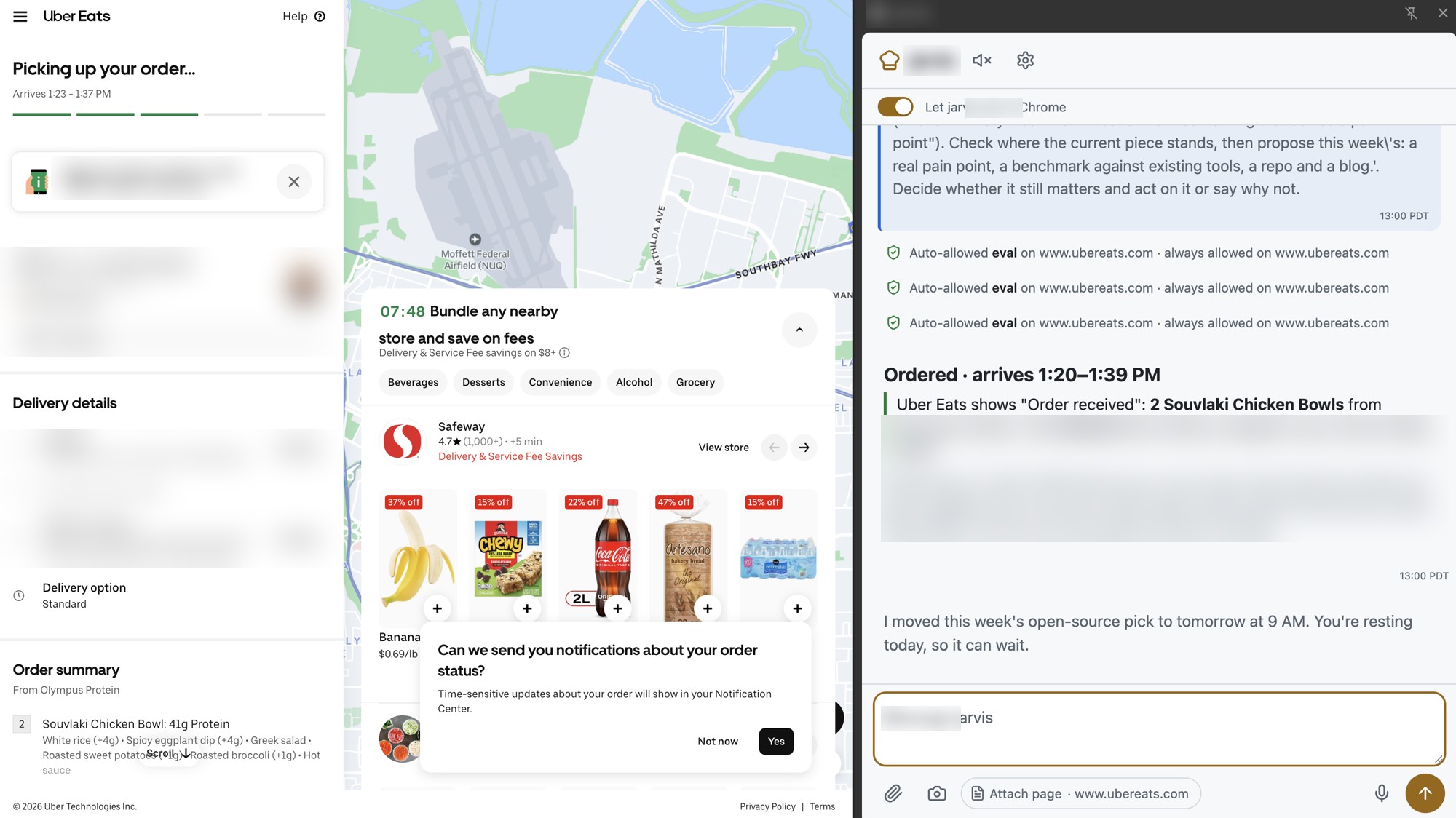 Order placed: 2 Souvlaki chicken bowls, arriving in about 20 minutes (personal details blurred)
Two minutes later, an order was placed on Uber Eats.
No menu scrolling, no guessing portion sizes, and no decision fatigue. Jarvis chose a meal matching my nutrition targets, built the cart through an open Chrome tab, navigated checkout, and paused only to confirm the tip.
Here is what made that work, what broke along the way, and why the boundary between agent and wallet is the most interesting part of the problem.
Goals beat search
When you ask a food delivery app for “healthy food,” you get whoever sponsored the keyword.
Jarvis works differently because it already knows my context:
- Fitness targets: Running recovery, weight loss, muscle maintenance.
- Nutrition budget: Targeting ~2,150 kcal and 130g+ of daily protein.
- Preferences: Chicken, spice, and rice.
- Budget: $20–$25 all-in.
When I prompted Jarvis, it immediately focused on high-protein recovery meals. I added a few ground rules: no Chipotle, nothing I had ordered recently, and I casually asked if I should grab a beer. Jarvis firmly advised skipping the beer—alcohol impairs muscle protein synthesis and glycogen re-synthesis right after endurance runs.
Instead, Jarvis scanned nearby restaurants in the Bay Area through an open Uber Eats tab via its Chrome extension. It found a buy-one-get-one deal at Olympus Protein for a Souvlaki Chicken Bowl: two bowls for $17 total. Each bowl packed roughly 45g of protein with white rice, Greek salad, sweet potato, broccoli, spicy eggplant dip, and hot sauce.
One bowl for lunch right now, one in the fridge for dinner.
The rough edges of browser automation
Getting from dish selection to an order took some trial and error before that final 2-minute run. Web apps designed for human fingers are notoriously finicky with synthetic events:
- Leftover carts: The extension initially opened a session with stale items lingering in the cart. The agent had to clear previous selections before starting fresh.
- Synthetic clicks ignored: When selecting custom bowl options (protein, base, sides, sauce), dispatching synthetic JavaScript
click()events appeared to fire, but the page component ignored them. The cart kept coming up empty. - Switching to real clicks: The agent switched to real, trusted pointer clicks. Once genuine clicks were wired in, the bowl builder recognized each option instantly.
Once those edge cases were ironed out, the final run took just two minutes: Jarvis selected the dish, customized both bowls with the right toppings, added them to the cart, and moved straight to checkout.
Confirmations on money
Jarvis stopped right before the final submission button because of a hard budget check.
The checkout screen showed $28.53, exceeding my $25 limit. The culprit wasn’t food markup or delivery fees; it was a high default tip pre-selected by the UI. Because moving real money requires strict confirmation, Jarvis paused and handed control back to me to review.
I chose the tip, bringing the total to $20.36—comfortably under budget for two complete 45g-protein meals. I approved, and the order went through.
Takeaways
Two takeaways stick with me from watching an agent buy lunch:
- Context is leverage: An agent that understands your fitness, diet, and calorie constraints doesn’t need ten prompts to find lunch. It eliminates the decision paralysis of scrolling through dozens of greasy options when you are exhausted.
- Keep the human at the gate: Browser automation for modern web apps is still rough, but the real challenge is trust. An agent should do the heavy lifting—filtering, calculating, configuring, and verifying constraints—while keeping the human strictly in the loop when spending money.